-
Shop
- Advanced Technologies
- AI Skills Mastery 2026 Collection
- Apple Accessories
- Arts, Crafts & Hobbies
- Astrology, Tarot, Crystals & More
- Baby Showers & Gender Reveals
- Balanced Living
- Bathroom
- Beauty & Skincare
- Best-Sellers
- Birthday Celebrations
- Bridal Style & Beauty
- Calvin Klein
- Car Accessories
- Celebrations & Event Planning
- Dating & Social Confidence
- Dating & Social Skills
- Digital Resources
- Education & Learning
- Everyday Wellness
- Family & Parenting
- Fashion
- Fashion Accessories
- Find Your Path Collection
- Fitness & Movement
- Fitness Nutrition & Meal Prep
- Furniture
- Gadgets
- Gift Guides
- Halloween
- Health & Beauty
- Health & Wellness
- Healthy Lifestyle
- Holiday & Seasonal Celebrations
- Home & Garden
- Home & Kitchen
- Home Decor
- Home Electronics
- Home Supplies
- Home Workouts
- Kids & Babies
- Kitchen
- Lighting
- Men's Wellness & Lifestyle
- Nike
- Online Business
- Online Business for Beginners
- Online Content Creation & Platform Growth
- Outdoor & Active Lifestyle
- Party Planning & Entertaining
- Patio, Lawn & Garden
- Personal Growth
- Pet Care
- Pet Supplies
- Pets
- Relationships & Social Confidence
- Rest & Relaxation
- Self-Care & Personal Rituals
- Shoes
- Smart Life with IA
- Smart Shopping
- Sport & Outdoors
- Style & Fashion
- Super Deals
- Travel
- Travel & Adventure
- Wealth
- Wellness
- Popular
- Best deals
100W USB-C to USB-C Fast Charging Cable Guide
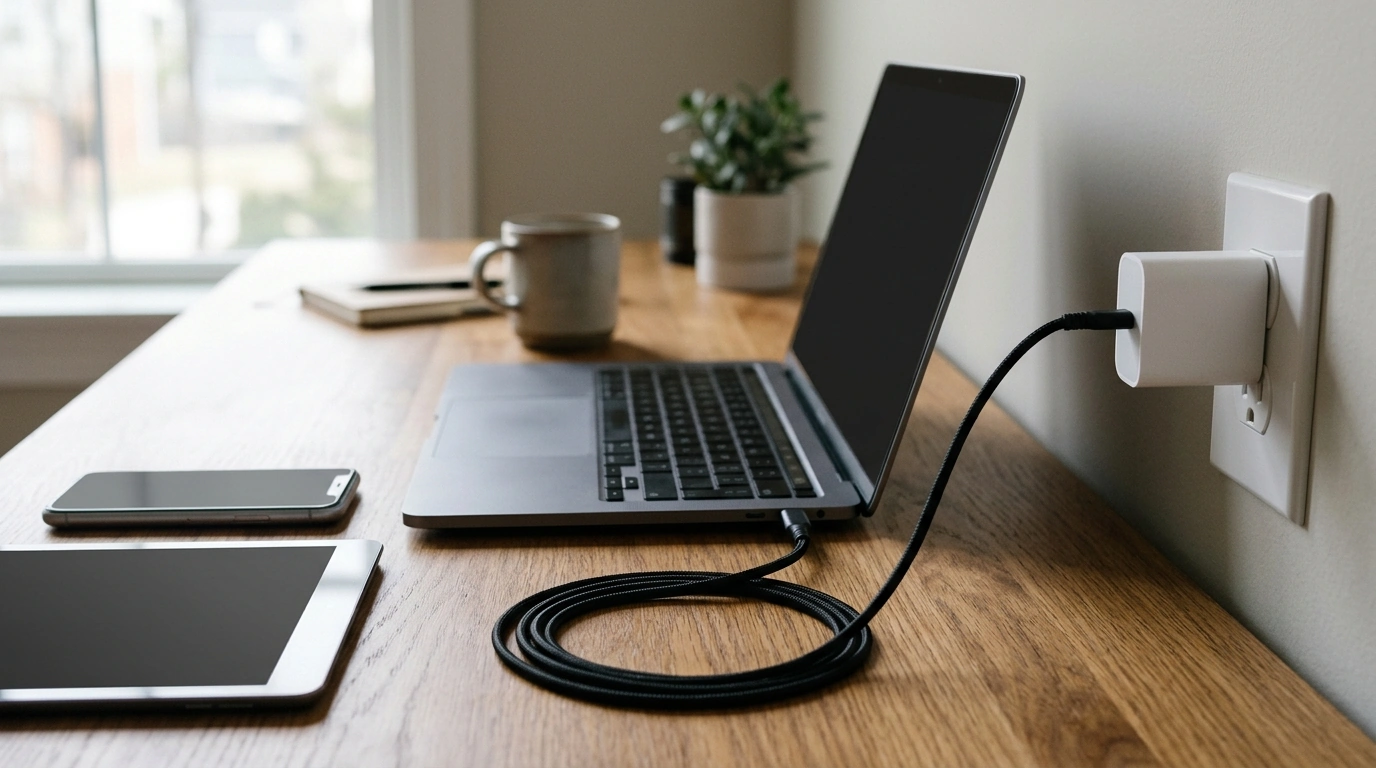
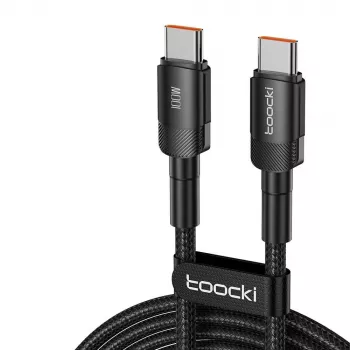
A dependable charging setup starts with matching your device, charger, and cable. Our 100W USB-C to USB-C fast charging cable is a straightforward option for compatible USB-C devices. It is listed for up to 100W and 5A, with PD 3.0 and QC 4.0 support. Those ratings describe its capabilities, not a promise that every device will charge at a particular speed.
One Cable for Everyday USB-C Charging
Use this cable to connect a USB-C device to a compatible USB-C charger. Its 100W rating makes it worth considering for a range of devices, including compatible phones, tablets, and laptops. You can use the same cable with different devices as long as each charging setup is compatible.
The power your device receives depends on more than the cable. Your charger must provide an appropriate output, and your device must be able to accept it. The charging protocols supported by both pieces of equipment also matter. A phone, for example, will not necessarily draw the same power as a laptop just because both are connected with a 100W-rated cable.
That makes the cable useful as part of a flexible setup, but it is not a substitute for choosing the right charger. Start with your device’s requirements, then compare them with the charger’s specifications.
Understanding 100W, 5A, PD and QC
The cable’s 100W figure is its maximum stated power rating. Its 5A figure is its stated current rating, meaning it is listed for up to 5 amps. Neither number guarantees the power your particular device will receive. The charger and device determine the actual charging arrangement together.
USB Power Delivery, often called PD, is a charging technology that allows compatible equipment to negotiate power. You can learn more from the USB Implementers Forum’s USB Power Delivery overview. Quick Charge is another charging technology; Qualcomm’s Quick Charge information provides further background.
Our cable is listed with PD 3.0 and QC 4.0 support, but the cable alone cannot add those technologies to an incompatible charger or device. For faster charging, the connected equipment must support an appropriate protocol and power output.
Cable Ratings at a Glance
| Listing detail | What it means for shoppers |
|---|---|
| 100W maximum power | A rated ceiling, not a guaranteed charging rate. |
| 5A current | The cable is listed for up to 5 amps. |
| PD 3.0 | A compatible USB Power Delivery charger and device are needed to use PD charging. |
| QC 4.0 | Quick Charge operation depends on compatibility with the connected equipment. |
Check Your Charging Setup
Before ordering, confirm that your charger has a USB-C output and your device has a USB-C charging port. This is a USB-C to USB-C cable, so it is not intended to plug directly into a USB-A charger or a device with a different connector.
Next, look at the device’s charging requirements and the charger’s output. Check the supported protocols as well as the wattage, particularly if you want to use a device’s fast-charging feature. A compatible lower-power charger can still be useful, but it may charge your device more slowly than a suitable higher-power charger.
For a laptop, compare its required wattage with the charger’s output. A 100W-rated cable cannot make an underpowered charger deliver more power. Depending on the laptop and how you use it, a charger with insufficient output may charge slowly or may not keep up while the laptop is running.
If you charge several devices, review each one separately. The same charger and cable may work well for a phone and a tablet while falling short of a laptop’s requirements.
Use and Care
Insert each plug securely without forcing it. If a connector does not fit easily, check that it is aligned with the port and that you are using the correct connection. When unplugging, hold the connector rather than pulling on the cable itself.
Avoid sharp bends, especially where the cable meets a connector. When storing it, coil it loosely rather than wrapping it tightly around a charger. Stop using the cable if the cable or either connector shows signs of damage, and replace it before charging again.
Add a Cable to Your Setup
With its listed 100W maximum, 5A rating, and PD 3.0 and QC 4.0 support, this cable gives you an option to consider for compatible USB-C charging equipment. Check our product page for current price and availability before ordering.
If you are also organizing equipment for a shared workspace or presentation area, you can explore our Adjustable AV Cart with Power Strip separately. Choose your charger and cable based on your device’s requirements regardless of where you set up.
FAQ
Will this cable charge every USB-C laptop at 100W?
No. The cable’s 100W rating is a maximum; actual charging power depends on the laptop, charger, and their compatibility.
Do I need a special charger for fast charging?
You need a charger with an appropriate power output and charging protocol for your device. The cable alone cannot provide fast charging.
Can I use this cable with a lower-power USB-C charger?
Yes, you can use a compatible lower-power USB-C charger. Charging power will be limited by the charger and device.


Leave a comment